
Do you want to increase your website SEO in the fastest ways possible?
If you have a WordPress website, this checklist is for you. Our expert team has got together to choose the fastest ways you can increase your website SEO, starting today! It’s not easy to choose the best SEO methods from the hundreds of changes you could make, but we’ve done it.
Use this checklist to increase website SEO, and boost your search rankings and website traffic.
SEO (search engine optimization) is a long-term project, but you can start now. Over time, you can keep working on your website and keep increasing your SEO.
1. Choose the keywords you want to rank for
The keywords you want to rank for should be the search terms that a user will type into a search engine to search for your organisation.
Use phrases instead of single words
The term ‘keyword’ can be misleading to anyone new to SEO. We use phrases instead of single words because phrases are more specific. They usually have a lower search volume (i.e. a lower number of searches each month). However, they also have less competition and are more targeted, which means they have a higher conversion rate. This means that if people click these more specific phrases, they are ultimately more likely to convert into a customer or lead on your website.
Avoid keywords that are too general
Try to avoid single or too general words like ‘cars’. Choose something more like ‘used cars for sale surrey uk’. The phrase is much more specific and is more likely to get you traffic and better conversions.
This phrase would also better match a searcher’s SEARCH INTENT. If your page ranks in the search results and a user clicks your link, page that more closely match search intent convert far better.
Leverage ‘Local SEO’ by targeting geographical keywords
If you offer services in Surrey UK, use the location name in your target keyword, like ‘cars for sale in surrey uk’. You can replicate this for multiple areas that you service.
Keyword research
If you’re stuck for ideas, or you want to check the search volume and search difficulty of keywords you like, use Ubersuggest.
Create a single website account with Ubersuggest and add your website and location. Then look at the menu on the left side of the page. Navigate to ‘Keyword Research’ – ‘Keyword Overview’.
Start to test some phrases by typing them in the box labelled ‘Get a detailed keyword overview’:
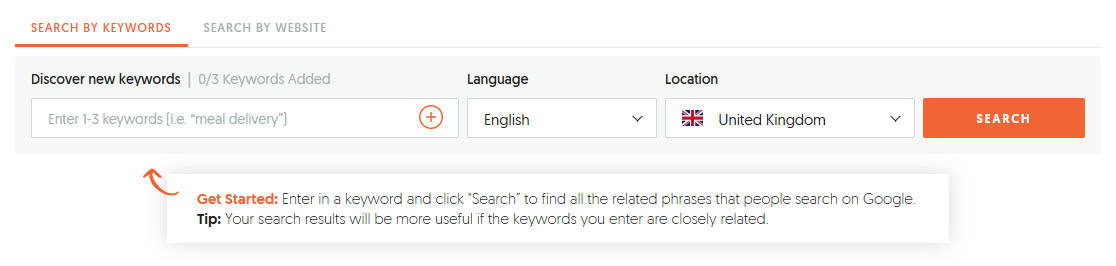
Choose keywords that have a lower search volume (eg: lower than 500), but also a lower SEO difficulty (lower than 50) to start. You are most likely to rank for keywords with metrics like these in the beginning.
Scroll down the page to ‘Keyword Ideas’. Check if there are any keywords that fit the content you already have. This section will also give you ideas for keywords that you could write new content for.
Start with about 10 target ‘keywords’ on your list. These are the keywords you’re going to optimize your website for. (You will add to this list as you go, but start small and grow.)
Match your target keywords to your website’s pages
Write out your website menu so you have a list of the pages on your website. You won’t want to rank some of pages (like your Privacy Policy), so these can be ignored. Next to each page that you want to rank on search engines (like Google), assign one of your keywords.
Do you have keywords left over?
If you have extra target keywords and not enough pages on your website, it’s time to create new pages. Write new content for the keywords you have.
PRO TIP: Don’t rank more than one page for the same keyword.
2. Evaluate the quality of your page content
Once you have assigned your target keywords to your website pages, carefully evaluate the quality of the content on each page. Your content should follow Google’s E-E-A-T guidelines.
Google uses E-E-A-T to score content on websites. These factors are used to determine the quality of content and to ensure that websites provide accurate, reliable, and trustworthy content:
- Expertise
- Experience
- Authoritativeness
- Trustworthiness
Your content on each of these pages must:
- Be original and helpful
- Not be copied (either from your website, or from anywhere else on the internet)
- Include relevant and high-quality images and videos to enhance your user’s experience
- Include personal touches (i.e. add your own experience and insights)
- Be authoritative and trustworthy
Rewrite your content if necessary
If your content doesn’t follow these guidelines, then rewrite it until it does.
It can be a daunting task, but search engines (especially Google!) rank valuable content that users enjoy! It’s your job to make sure that the content on these pages you’ve identified follows the above guidelines.
3. Check your on-page SEO
On-page SEO is the practice of optimizing the content on an individual website page, so it can be found more easily by search engines. If setup correctly, it also makes your page more likely to be clicked by users when they see it in the search results.
Yoast is a brilliant, and extremely popular, SEO plugin for WordPress. It performs several background processes to help your search engine optimization.

Setup Yoast on your WordPress website
Login into your WordPress backend and install and setup Yoast. Click here to find the Yoast plugin online or go to ‘Plugins’ – ‘Add New Plugin’, and search for ‘Yoast‘. Once it is installed, follow Yoast’s simple setup process.
We are going to focus on the amazing on-page tools Yoast has. Yoast gives you an on-page SEO checklist to follow so you can improve your on-page SEO much more easily.
If you start using Yoast to optimize your on-page SEO, you will soon learn about ‘the green dots’. Yoast uses a traffic light system on their on-page SEO checklist. The plugin shows you where your on-page SEO is lacking (red dot), where you can increase website SEO (yellow dot), and where it’s already great (green dot).
Yoast acts as a clever guide when you are working on your on-page SEO. You should aim for green dots where possible, but your page must still appear as natural as possible.
PRO TIP: Remember, you must optimize for HUMANS first, before you optimize for Yoast, Google, or other search engines. This is always the best SEO approach. If you chase the green dots, but your page starts to sound unnatural, your optimization has gone wrong.
Also remember that Yoast is a checklist for on-page SEO. Green dots don’t guarantee that your content will automatically rank in search results. They just show you where you have done well, and where you need to increase your website optimization.
Optimize your on-page SEO per page
Open the page you want to optimize for on-page SEO. Scroll down to the Yoast section (usually near the end of the page) and familiarize yourself with Yoast’s options. (We have used our SEO Definitions page as an example of how to use Yoast.)
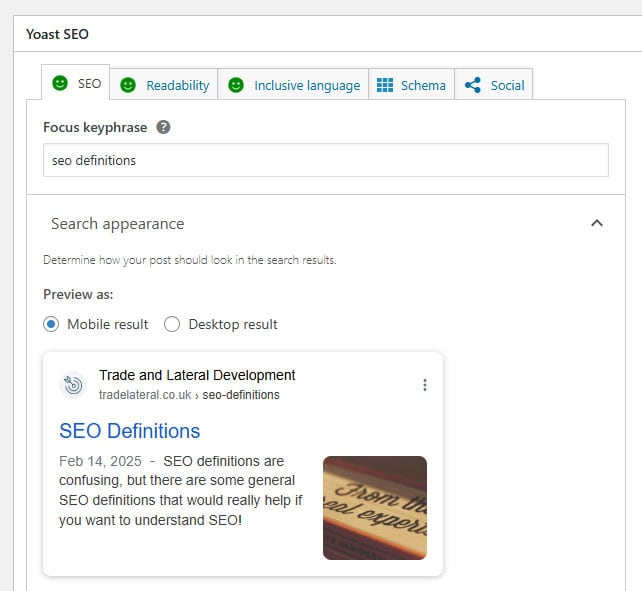
Make sure you fill in the following:
- Focus keyphrase (This is the target keyword you are optimizing this page for.)
- SEO title (This is the page title your searcher will see. Choose your own and make sure it entices users to click.)
- Meta description (This is the description of your page that will appear in the search results.)
Click the ‘SEO analysis’ dropdown to see all the on-page elements you can add or correct.
You’ll see the different colored dots here – aim for green but don’t over-optimize. Orange is great too. Remember that you are optimizing for an excellent user experience, i.e. for HUMANS! Make sure you don’t sacrifice your user experience just to get an extra green dot.

When you’re finished, click the ‘Readability’ tab (pictured below) in the Yoast section. Follow the same principle by correcting your text until you get an orange or green score:

Lastly, check the ‘Inclusive Language’ tab too (pictured below), to make sure you’re not making mistakes here:

Once you’re finished, make sure you Update and save your page!
4. Test your website speed
Site speed is one of the most important ranking factors on search engines. If you have a slow website, neither Google nor users are going to wait for it to load. You probably won’t show up in searches. Even if you do, users will click off your site if it doesn’t load in less than 3 seconds.
Test your website speed using online speed testing tools
Check your website speed using GTMetrix. Make sure you choose a testing server close to where your target market is searching:
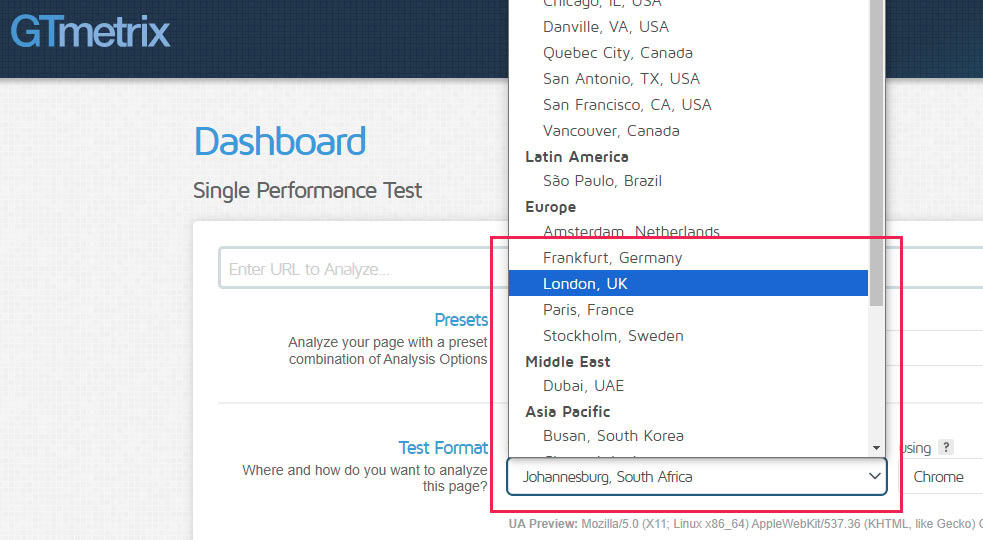
Run at least 3 tests to get a more accurate picture of your site speed. Once complete, have a look at the results to see if anything jumps out at you. (You might need a professional website designer to help you fix any technical issues.)
Here are some of the most common reasons websites are slow:
- Images are far too big
- Software is outdated (WordPress core, themes, or plugins)
- Too many fonts (limit yourself to one or two at most)
- No caching system
- Software conflicts (some plugins don’t work well with others)
Here are the solutions to these major issues:
- Images – optimize images with EWWW Image Optimizer.
- Update all your website software (please backup first!).
- Only use one or two fonts on your website (make sure any others are removed).
- Install WP Super Cache and set it up on your website. (This plugin is free and great for beginners.)
Software conflicts are more difficult to diagnose, and you’ll probably need to ask a web designer. You can contact our expert team if you need help.
5. Connect your website to Google Search Console
Google Search Console is a free tool from Google that helps you manage and improve your website’s performance in Google search rankings.
It can do a lot of technical things, but for the sake of keeping it simple in this list, we’re going to connect your site, and then run through a few simple checks.
Setup Google Search Console
If you haven’t already got Google Search Console setup, please go here to set up your Console account. The only requirement is that you have a Gmail Account already set up. (If you’re already using Google Analytics, use the same account that you used to set that up.)
Open Search Console, add your website, and verify ownership of your site
You’ll need to prove that you are the owner of your website. This is because Search Console shows information about your site that only site owners should see. It also allows you to make changes that can affect how your site appears on Google.
Perform some basic SEO functions to boost your website
Check if Google has penalized your website
Go to ‘Security & Manual Actions’, click ‘Manual actions’ – make sure there are no warnings.
Submit your sitemap
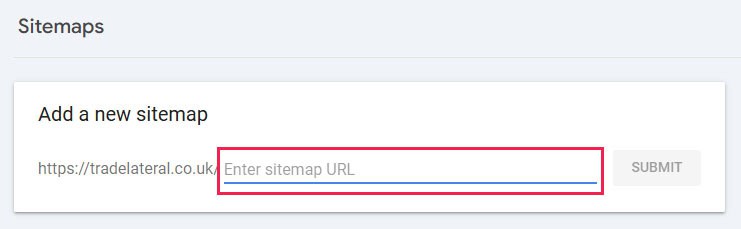
Go to ‘Indexing’ – ‘Sitemaps’ to submit your sitemap. In the box provided, type sitemap_index.xml and click ‘Submit’:
Check if your pages are indexed
Go to ‘Indexing’ – ‘Pages’ and check how many pages are indexed, versus how many aren’t. If you have 20 pages on your website that you want to be found in search results, you want 20 pages to be indexed. If they aren’t indexed, it might be because of errors, or Google just hasn’t crawled your site yet.
There could be many technical reasons as to why your pages haven’t been crawled or indexed. Some reasons are valid and the ‘errors’ can be ignored. Some reasons are issues you should fix to increase website SEO.
Request page indexing
For the sake of this simple checklist, you are going to request that Google indexes the new pages you have been working on.
At the top of the screen, copy your page URL into the ‘Inspect any URL’ box and push Enter:

PRO TIP: Google will limit how many requests you can make each day. If you have a lot of new pages too index, you might need to request over several days.
Remember, Google can only display crawled and indexed pages in search results.
We hope you’ve found this simple checklist to increase website SEO useful.
Our expert team has compiled a straightforward list of steps to increase website SEO that you can work on TODAY. However, each of these steps can be executed in more detail.
SEO, or search engine optimization, is a huge, complicated topic. Google uses hundreds of ranking factors to determine whether a website is allowed to appear in search results.
Please don’t be put off by the magnitude of SEO. You must start somewhere.
This list is an excellent, high-level view of SEO that you can start working on now. As you go, you will find more and more elements you can tweak, change, or fix.
And if you get stuck or confused, we are always here to help. Please contact us if you have any questions about how to increase your SEO.